


How to Withdraw NPS Amount: Step-by-Step Process to Get Your Money
- Updated On:10 Apr 2026
 Views
Views- 2 min read
https://www.shriramlife.com/blog/advice/how-to-withdraw-nps-amount-step-by-step


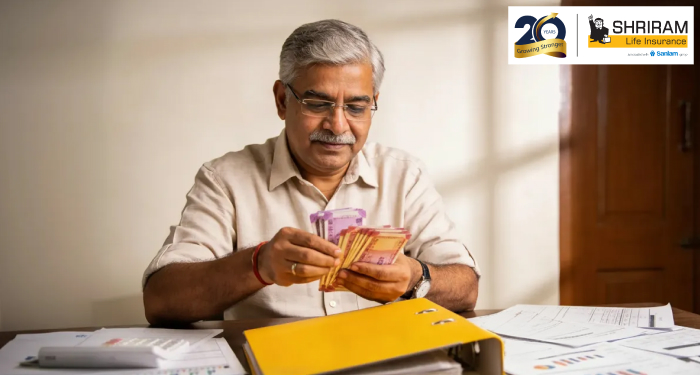
If you’ve decided to exit the National Pension Scheme (NPS) or are eligible for a withdrawal, and are wondering how to withdraw your NPS amount, you’re in the right place. This is often where people get confused or are unaware of the process and regulations.
This guide focuses on how the amount is claimed and paid so the process becomes smooth and seamless for you.
What Does ‘Withdraw NPS Amount’ Mean?
In simple terms, withdrawing the NPS amount means submitting a request to claim your eligible funds, completing the required documentation, and getting the approved amount credited to your bank account
How Is the NPS Amount Paid?
Once you complete the process through online or offline methods, the approved amount is directly credited to your registered bank account. Note that no cash or cheque payments are allowed.
How Long Does It Take to Receive the NPS Amount?
The time taken for the process to occur depends on the method of withdrawal:
- Online requests: usually 7–10 working days
- Offline requests: may take a little longer
Common Reasons for Delay
Some common delays for the amount to get credited in your account may be:
- Mismatch in bank details
- Incomplete documents
- Pending KYC verification
It’s best to double-check details before submitting.
How to Withdraw NPS Amount Online
Here’s a simple, step-by-step process of how to withdraw NPS amount online:
Step 1: Log in to the eNPS Portal
- Visit the official eNPS website
- Log in using your PRAN number and password
Step 2: Select Withdrawal Request
- Choose the option related to withdrawal amount
- Confirm your bank account and nominee details
Step 3: Upload Required Documents
You may be asked to upload the following documents:
- Identity proof
- Cancelled cheque
- Bank account details
Always make sure that the details you submit match your PRAN records.
Step 4: Submit and Authenticate
- Submit the request for NPS withdrawal
- Complete OTP or e-sign authentication
Once submitted, your request is then sent for processing.
How to Withdraw NPS Amount Offline
If you opt for the offline route or are unable to go through with the online route, you can:
- Visit your Point of Presence (PoP), which is usually your bank
- Fill the withdrawal request form
- Submit identity and bank documents
The PoP then forwards the request for processing.
Takeaways
Once you know how to withdraw NPS amount, you’re aware of the steps for claiming and receiving your saved money. This helps make the process smoother and avoid any possible delays in your withdrawals.
Plans worth exploring
 Shriram Life Flexi-Shield Plan
Comprehensive Protection

Shriram Life Flexi-Shield Plan  Shriram Life Sunishchit Laabh
Secure your family's future
Shriram Life Sunishchit Laabh  Shriram Life Wealth Pro Plan
Strong Returns, Steady Protection
Shriram Life Wealth Pro Plan

Why Shriram Life
Experience
Lives covered
Claims Settled (FY 2025-26)
Explore more topics
Trending searches
Find the right plan for you
OTP Verification
Please Enter OTP that has been sent to your registered
Mobile Number +91





Get a call Back to Plan Your Life Insurance
OTP Verification
Please Enter OTP that has been sent to your registered
Mobile Number +91

We’ve Got Your Details
You’re one step closer to securing a guaranteed income. Our team will contact you soon.


