


How to Change an Aadhaar Card Photo Online
- Updated On:02 Mar 2026
 Views
Views- 2 min read
https://www.shriramlife.com/blog/advice/how-to-change-aadhaar-card-photo-in-online


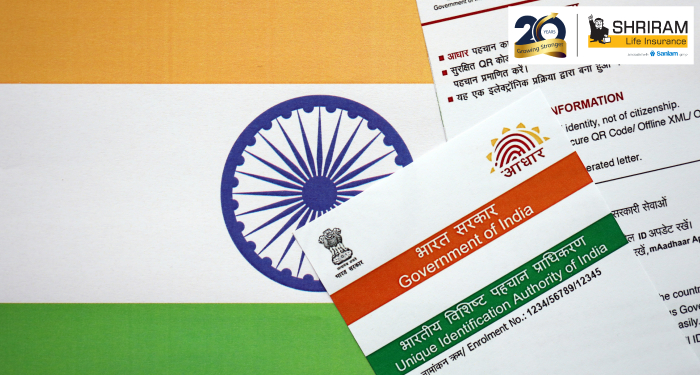
If you want to update your Aadhaar photo online, it may look complicated at first but in fact, it can be done. UIDAI permits some changes to be done digitally but to change the photo, there are some particular steps that need to be followed. This manual tells you how to change your photo on your Aadhaar card in a proper and secure manner.
What is the reason for changing an Aadhaar photo?
In the case of other updates to Aadhaar, as is the case with your phone number or residential address etc., you can also upload a new image through the online portal. So UIDAI wants it to be clear that life is not so easy and that you have to go to the centre where this will be done.
Why don’t they let you update your photo online?
A biometric or facial photo is part of a person’s biometric data, and therefore it is necessary that the data can only be verified in the presence of the person.
The Self‑Service Update Portal (SSUP) is not designed to include photo update operations.
The centre workers will even take your photo with their in-built camera. There is no need for you to keep a photo with you.
Step‑by‑Step: How to Change Your Aadhaar Photo
There is an easy and fast guide for the work one needs to accomplish:
First, you need to get an Aadhaar Enrolment / Correction Form from the UIDAI internet site. After that, you fill in your Aadhaar number and address, along with other necessary info. Reserving a meeting with the help of a walk-in at the closest
Aadhaar Enrolment Centre / Seva Kendra is your next step. Biometric information (fingerprints / iris) + live photo should be given by you. Payment of fee (₹ 100 for photo change) is conducted via Business Today
On the receipt, get your Update Request Number (URN).
Use the URN to check the progress of your application through the internet.
Real-life Example
Real life story: Meena’s photo for her Aadhaar was the one when she was just 12 years old. She completed the form, went to the Seva Kendra, did her fingerprinting, and had her photo taken. She made her ₹100 payment as well. After approximately 45 days, she accessed her updated e‑Aadhaar with the new photo on it.
Things to Remember
For just changing your photo, you do not require any other supporting document.
The photo may take 30–90 days before it will be visible on your Aadhaar.
Remember to always keep your URN with you — in order to check the status, you will require it.
FAQs
An answer to this would be a 'no'. One biometric photo cannot be updated unless this is a live capture done in an enrolment centre.
No - Just your Aadhaar number and mobile that is registered will do.
Yes, it is okay. Your old Aadhaar remains valid till the new photo is updated.
Plans worth exploring
 Shriram Life Flexi-Shield Plan
Comprehensive Protection

Shriram Life Flexi-Shield Plan  Shriram Life Sunishchit Laabh
Secure your family's future
Shriram Life Sunishchit Laabh  Shriram Life Wealth Pro Plan
Strong Returns, Steady Protection
Shriram Life Wealth Pro Plan

Why Shriram Life
Experience
Lives covered
Claims Settled (FY 2025-26)
Explore more topics
Trending searches
Find the right plan for you
OTP Verification
Please Enter OTP that has been sent to your registered
Mobile Number +91





Get a call Back to Plan Your Life Insurance
OTP Verification
Please Enter OTP that has been sent to your registered
Mobile Number +91

We’ve Got Your Details
You’re one step closer to securing a guaranteed income. Our team will contact you soon.


