


How to link Aadhaar to RTC
- Updated On:28 May 2026
 Views
Views- 1 min read
https://www.shriramlife.com/blog/advice/how-to-link-aadhaar-to-rtc


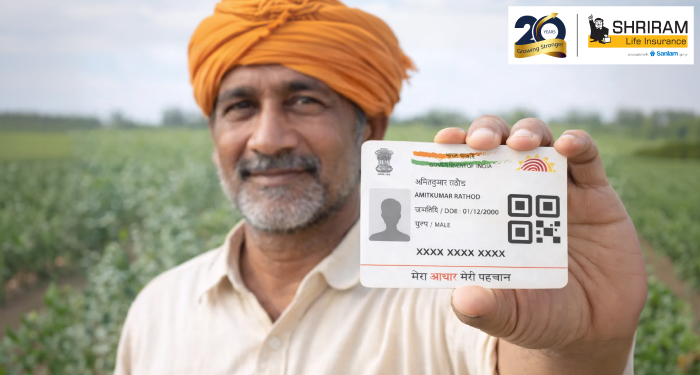
Linking your Aadhaar card to your Records of Rights, Tenancy and Crops (RTC) (land record) might sound complex, but it’s actually manageable – and it protects your rights. Here’s how to link Aadhaar to RTC in short.
Why link your Aadhaar to RTC?
When your Aadhaar number gets added to the land record, the system confirms you are the owner. The state of Karnataka is doing this campaign to reduce fraud in land transfers.
Step-by-step process (quick tip)
- Visit your taluk’s village administrative officer (VAO) or access the online portal of Bhoomi.
- Show your Aadhaar card + landowner’s name on the RTC/pahani.
- Provide your mobile number (the one linked with Aadhaar) – this may be used for OTP verification.
- VAO will scan/enter your Aadhaar number into the record of rights system.
- Get receipt or confirmation; check after a week if the link shows on portal.
Example: Mr Ramesh of Chāndor village visited VAO with his Aadhaar & RTC. It took about 20 minutes and he got the receipt. A week later he checked and the Aadhaar number appeared in the online system – he said “felt safer”.
Checklist of what to carry
- Aadhaar card (original)
- Mobile number linked to Aadhaar
- RTC/pahani copy
- If land inherited: document of succession or mutation
- Your photo ID (optional)
When will linking matter?
If you try to register a sale, mutation or apply for a subsidy, linking helps smooth processing. Also state officials say unlinked RTCs may risk access to certain benefits.
FAQs
Yes, the state has issued instructions that linking Aadhaar to RTC is required for land transactions.
In most cases you must go via your VAO at taluk level (offline), because biometric or verification steps may be needed.
You may face delays, because OTP verification uses your mobile. It’s wise to link mobile with Aadhaar first.
Plans worth exploring
 Shriram Life Flexi-Shield Plan
Comprehensive Protection

Shriram Life Flexi-Shield Plan  Shriram Life Sunishchit Laabh
Secure your family's future
Shriram Life Sunishchit Laabh  Shriram Life Wealth Pro Plan
Strong Returns, Steady Protection
Shriram Life Wealth Pro Plan
Why Shriram Life
Experience
Lives covered
Claims Settled (FY 2025-26)
Explore more topics
Trending searches
OTP Verification
Please Enter OTP that has been sent to your registered
Mobile Number +91





Get a call Back to Plan Your Life Insurance
OTP Verification
Please Enter OTP that has been sent to your registered
Mobile Number +91

We’ve Got Your Details
You’re one step closer to securing a guaranteed income. Our team will contact you soon.


