


How to Link EB with Aadhaar
- Updated On:28 May 2026
 Views
Views- 1 min read
https://www.shriramlife.com/blog/advice/how-to-link-eb-with-aadhaar


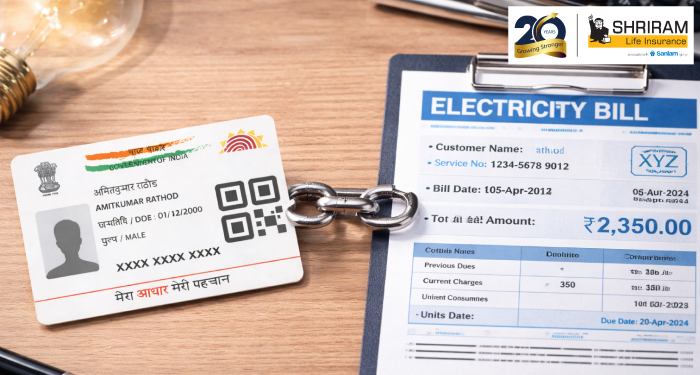
Linking your EB connection with Aadhaar is fast and helps you get subsidies. In this guide you’ll learn how to link EB with Aadhaar simply and start enjoying benefits.
Why link your EB connection with Aadhaar?
When you link your electricity service number (EB) with your Aadhaar, you make sure the subsidy or benefit is correctly credited. For example in Tamil Nadu, the first 100 units of power may be free for those linked.
What you’ll need before you begin :
- Service connection number from your electricity bill
- Mobile number registered with your Aadhaar
- Aadhaar number (12 digits) with details matching the bill
- Your choice of status (owner, tenant, etc) from the dropdown as on the portal
- Internet access or visit the local electricity office if offline
Step-by-step linking process:
- Visit the official website of your state electricity board (for example the portal of the board in your region).
- Click on “Online Services” → “Aadhaar – Link your service connection number”.
- Enter the service number, mobile number, and captcha.
- The system may show your name and address. Then pick the correct option (owner/tenant).
- Input your Aadhaar number and click “Send OTP”. Enter the OTP from your mobile and submit.
- You’ll receive a confirmation SMS or you can check status later under “Bill Status” or “Aadhaar link status”.
Here’s a real-life example:
Mr. Rao had a rural EB connection but his mobile number wasn’t registered with his Aadhaar. When he tried linking, the OTP didn’t come. He went to his local office, updated the mobile number with Aadhaar (takes about 20 mins), and then completed the steps above successfully. After that his subsidy got applied next month.
Quick bullets to avoid mistakes:
- Make sure service number is correct (no typos).
- Use the mobile number that’s linked with Aadhaar.
- Pick the right “owner/tenant” option.
- Wait 24-48 hrs and check link status.
- If online fails, visit the sub-division office with Aadhaar copy and connection bill.
FAQs
You’ll need to update your mobile at the nearest Aadhaar enrolment centre or via online portal, then retry the link.
Usually yes for domestic connections, but check state-wise rules; link each connection separately if required.
You may lose eligibility for the subsidy or face delay in bill clearance.
Plans worth exploring
 Shriram Life Flexi-Shield Plan
Comprehensive Protection

Shriram Life Flexi-Shield Plan  Shriram Life Sunishchit Laabh
Secure your family's future
Shriram Life Sunishchit Laabh  Shriram Life Wealth Pro Plan
Strong Returns, Steady Protection
Shriram Life Wealth Pro Plan

Why Shriram Life
Experience
Lives covered
Claims Settled (FY 2025-26)
Explore more topics
Trending searches
OTP Verification
Please Enter OTP that has been sent to your registered
Mobile Number +91




Get a call Back to Plan Your Life Insurance
OTP Verification
Please Enter OTP that has been sent to your registered
Mobile Number +91

We’ve Got Your Details
You’re one step closer to securing a guaranteed income. Our team will contact you soon.


