


How to Download Aadhaar Without OTP
- Updated On:28 May 2026
 Views
Views- 1 min read
https://www.shriramlife.com/blog/advice/how-to-download-aadhaar-without-otp


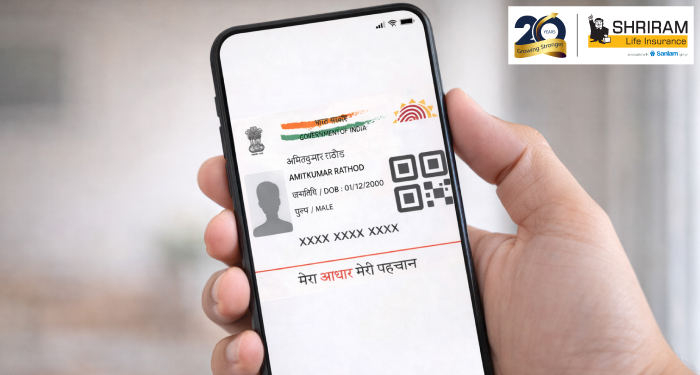
If you’re wondering how to download Aadhaar without OTP, this quick guide shows you what to try and what the limits are.
What the situation is
Normally, when you go to download your e-Aadhaar online you’ll need an OTP sent to the mobile number registered with your UIDAI account.What if you don’t have access to that mobile number? In short: there are work-around options, but they have caveats.
Quick steps (without OTP)
Here’s a bullet list for the scenario where you cannot receive the OTP:
- Ensure you have your Aadhaar number (12 digits) or Enrolment ID (EID) on hand.
- Try logging into your cloud document wallet like DigiLocker if your Aadhaar was already linked there (no fresh OTP required).
- If your mobile number is not registered or accessible, you may have to go physically to an Aadhaar Seva Kendra, get biometric verification and request a printout.
- After successful alternative verification, download the e-Aadhaar PDF or get the print version as needed.
- Keep in mind: the download without OTP may be limited to electronic copy only, and printing might not be allowed in all cases.
Example
Here’s a real-life type example: Rahul changed his mobile number and didn’t update it with UIDAI. He needed his Aadhaar urgently for a bank KYC. He logged into DigiLocker (where his Aadhaar had been earlier added). He downloaded the PDF without needing a fresh OTP. He printed it from his smartphone and used it at his bank branch. That saved him a trip to an enrolment centre.
Things to remember
- The regular online download always uses OTP via the registered mobile.
- If you cannot use OTP, the offline or alternate process may take longer and may involve a fee or biometric verification.
- The downloaded e-Aadhaar (PDF) is valid for most services. It is password-protected (first four letters of your name in capitals + year of birth) for opening.
- For full ease and no surprises, it’s best to update your mobile number with UIDAI as soon as possible, so you don’t face OTP issues next time.
FAQs
No, there’s no fully online download without OTP unless your Aadhaar is already linked in a system like DigiLocker. Otherwise you’ll need to go via a physical centre.
Yes – the downloaded e‐Aadhaar PDF is valid proof of identity and address in most cases.
You can retrieve your EID/Aadhaar number via UIDAI’s portal by submitting your name and DOB; then follow the download steps.
Plans worth exploring
 Shriram Life Flexi-Shield Plan
Comprehensive Protection

Shriram Life Flexi-Shield Plan  Shriram Life Sunishchit Laabh
Secure your family's future
Shriram Life Sunishchit Laabh  Shriram Life Wealth Pro Plan
Strong Returns, Steady Protection
Shriram Life Wealth Pro Plan

Why Shriram Life
Experience
Lives covered
Claims Settled (FY 2025-26)
Explore more topics
Trending searches
OTP Verification
Please Enter OTP that has been sent to your registered
Mobile Number +91




Get a call Back to Plan Your Life Insurance
OTP Verification
Please Enter OTP that has been sent to your registered
Mobile Number +91

We’ve Got Your Details
You’re one step closer to securing a guaranteed income. Our team will contact you soon.


