


Which Font Is Used in Aadhaar Card? Full Simple Guide
- Updated On:02 Mar 2026
 Views
Views- 1 min read
https://www.shriramlife.com/blog/advice/which-font-is-used-in-aadhaar-card


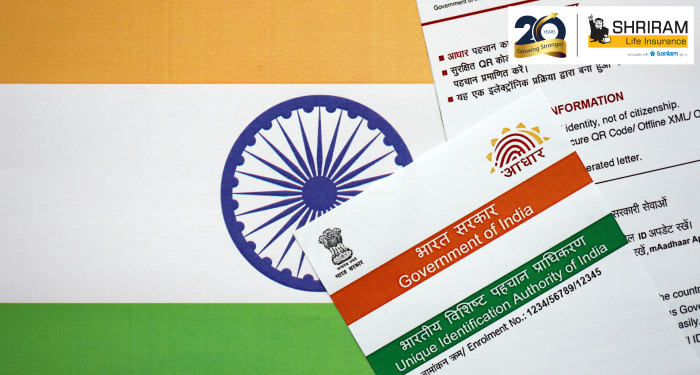
If you ever wondered Which Font Is Used in Aadhaar Card? You’re not alone. Many need this for form templates, design work, or printing Aadhaar-like documents.
Let’s keep it super simple.
Fonts used in Aadhaar Card (Quick List)
Here are the common fonts you can see on your Aadhaar:
- English Text: Myriad Pro
- Hindi Text: Kokila
- Regional Languages: For example, Gujarati uses Shruti, Tamil uses Latha, Kannada uses Tunga
- Barcode & QR Code: Uses machine-readable fonts, not standard typing fonts
- Signature & Numbers: Often variations of Myriad or OCR-friendly formats
These fonts help UIDAI keep the card clear, readable, and same across India.
Real-life example
Let’s take a quick look:
On your Aadhaar card:
- Your name in English → Myriad Pro
- Name in Hindi → Kokila
- Address in local language → based on your state (like Latha for Tamil Nadu)
- QR Code → Scannable style for fast updates
Next time you hold your Aadhaar, try matching these. It’s fun to notice the tiny design details we usually miss!
Why so many fonts?
India has many languages. So Aadhaar needs fonts that can show every script clearly. Using Myriad Pro makes English look clean. Kokila covers Hindi well. And each regional font fits its own writing style.
FAQs
Yes, many are pre-installed in Windows or available online free.
Mostly yes, but slight variations may appear in older cards.
It’s a special encoded design, not a normal font.
Plans worth exploring
 Shriram Life Flexi-Shield Plan
Comprehensive Protection

Shriram Life Flexi-Shield Plan  Shriram Life Sunishchit Laabh
Secure your family's future
Shriram Life Sunishchit Laabh  Shriram Life Wealth Pro Plan
Strong Returns, Steady Protection
Shriram Life Wealth Pro Plan

Why Shriram Life
Experience
Lives covered
Claims Settled (FY 2025-26)
Explore more topics
Trending searches
Find the right plan for you
OTP Verification
Please Enter OTP that has been sent to your registered
Mobile Number +91





Get a call Back to Plan Your Life Insurance
OTP Verification
Please Enter OTP that has been sent to your registered
Mobile Number +91

We’ve Got Your Details
You’re one step closer to securing a guaranteed income. Our team will contact you soon.


