


How to Remove Question Mark in Aadhaar Card
- Updated On:27 Feb 2026
 Views
Views- 1 min read
https://www.shriramlife.com/blog/advice/how-to-remove-question-mark-in-adhaar-card


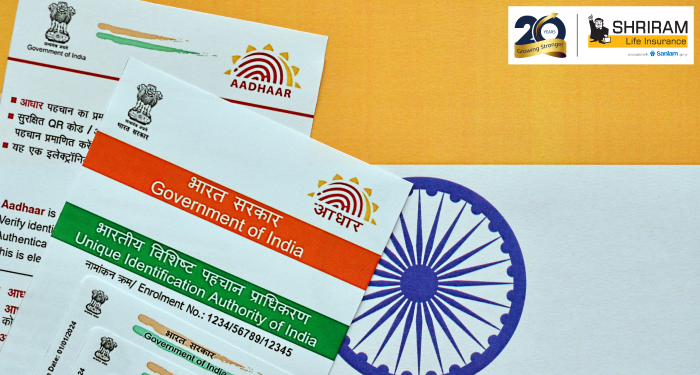
Noticed a question mark in your Aadhaar card details? It usually indicates missing or incorrect information. Don’t worry — fixing it is easier than you think. In this guide, we’ll walk you through simple steps to remove the question mark from your Aadhaar card, ensuring your details are accurate and up to date with UIDAI records.
What the question mark means
When you open your e-Aadhaar PDF and see a yellow “?” or “Validity Unknown” sign next to the digital signature, it means the signature certificate isn’t marked as trusted in your PDF reader. It doesn’t mean your Aadhaar is invalid — just that your software hasn’t confirmed the certificate yet.
Quick checklist – fix the icon fast
- Open the e-Aadhaar PDF in Adobe Acrobat Reader (or another full PDF reader).
- Scroll to the last page and find the signature panel showing the question mark or “Validity Unknown”.
- Right-click on the icon then select Validate Signature or Signature Properties.
- Click Show Signer’s Certificate, then in the Trust tab choose Add to Trusted Identities.
- Save the document and re-open; a green tick should appear.
Real-life example
Here’s an example: Raj downloaded his e-Aadhaar and saw a yellow question mark next to the digital signature. He opened Adobe Reader, right-clicked the icon, added the certificate to trusted identities, saved the PDF, and reopened it. Now he sees a green tick, and when he shows it at his bank for account opening, it’s accepted.
Why banks or agencies care
Many banks or service providers check the green tick because it proves the document hasn’t been tampered and is authenticated by the Unique Identification Authority of India (UIDAI). If you submit an e-Aadhaar with the question mark, you might get asked to download it again or validate the signature. Better fix it in short.
FAQs
Yes, you can. The e-Aadhaar is valid but might cause delays in KYC or acceptance.
No cost — you’re just validating a certificate in your PDF reader.
Use the official UIDAI portal or Adobe Reader on the desktop, validate the certificate, then re-save it.
Check the file now and make sure your e-Aadhaar shows a green tick.
Plans worth exploring
 Shriram Life Flexi-Shield Plan
Comprehensive Protection

Shriram Life Flexi-Shield Plan  Shriram Life Sunishchit Laabh
Secure your family's future
Shriram Life Sunishchit Laabh  Shriram Life Wealth Pro Plan
Strong Returns, Steady Protection
Shriram Life Wealth Pro Plan

Why Shriram Life
Experience
Lives covered
Claims Settled (FY 2025-26)
Explore more topics
Trending searches
Find the right plan for you
OTP Verification
Please Enter OTP that has been sent to your registered
Mobile Number +91





Get a call Back to Plan Your Life Insurance
OTP Verification
Please Enter OTP that has been sent to your registered
Mobile Number +91

We’ve Got Your Details
You’re one step closer to securing a guaranteed income. Our team will contact you soon.


